
Every journey deserves a folio.
Stop juggling screenshots, scattered emails, and half-finished spreadsheets. Journeyfolio brings your entire trip into one beautifully organized itinerary that holds flights, hotels, documents, live weather, and real-time flight status, so you can focus on the trip itself.



Offline-first planning
10 trips free
Live flight status
iPhone and iPad

Why travelers choose it
A premium travel planner that keeps the trip calm before the trip begins.
Journeyfolio turns fragmented trip admin into one composed itinerary. The page design should mirror that promise: structured, elegant, and easy to navigate at a glance.
One hub for the whole trip
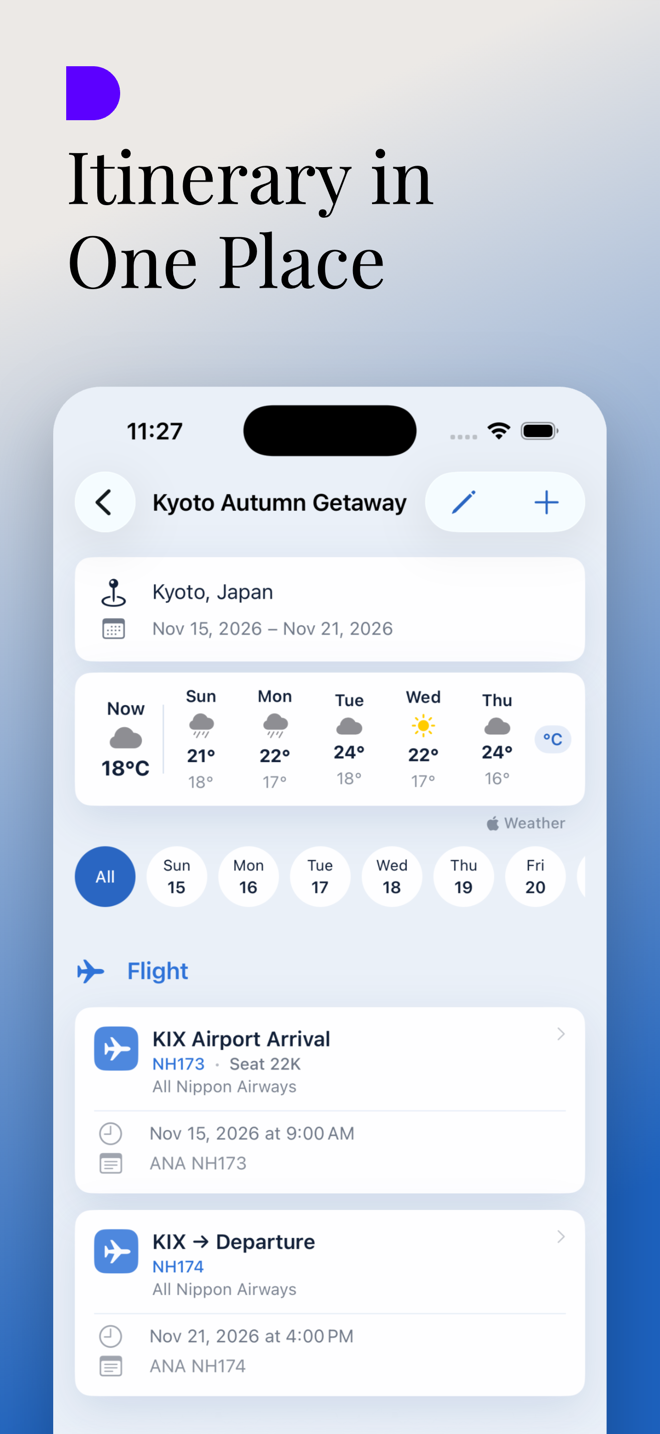
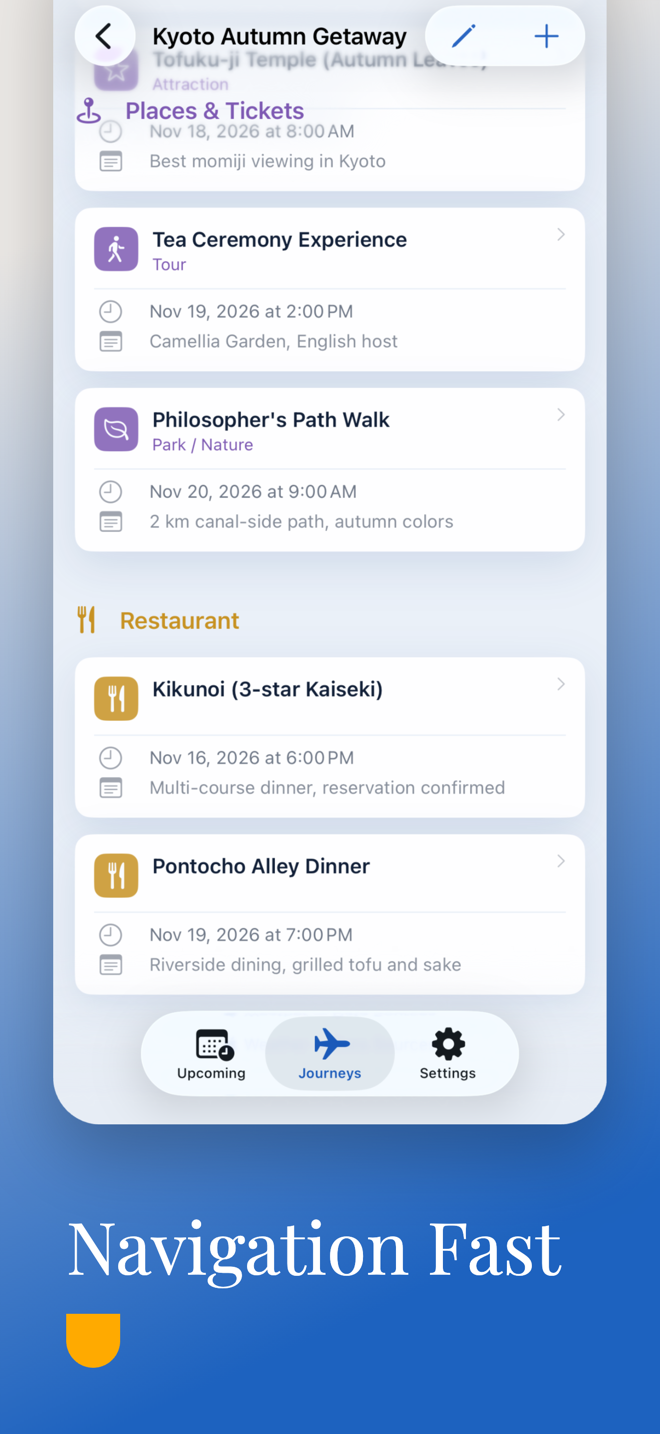
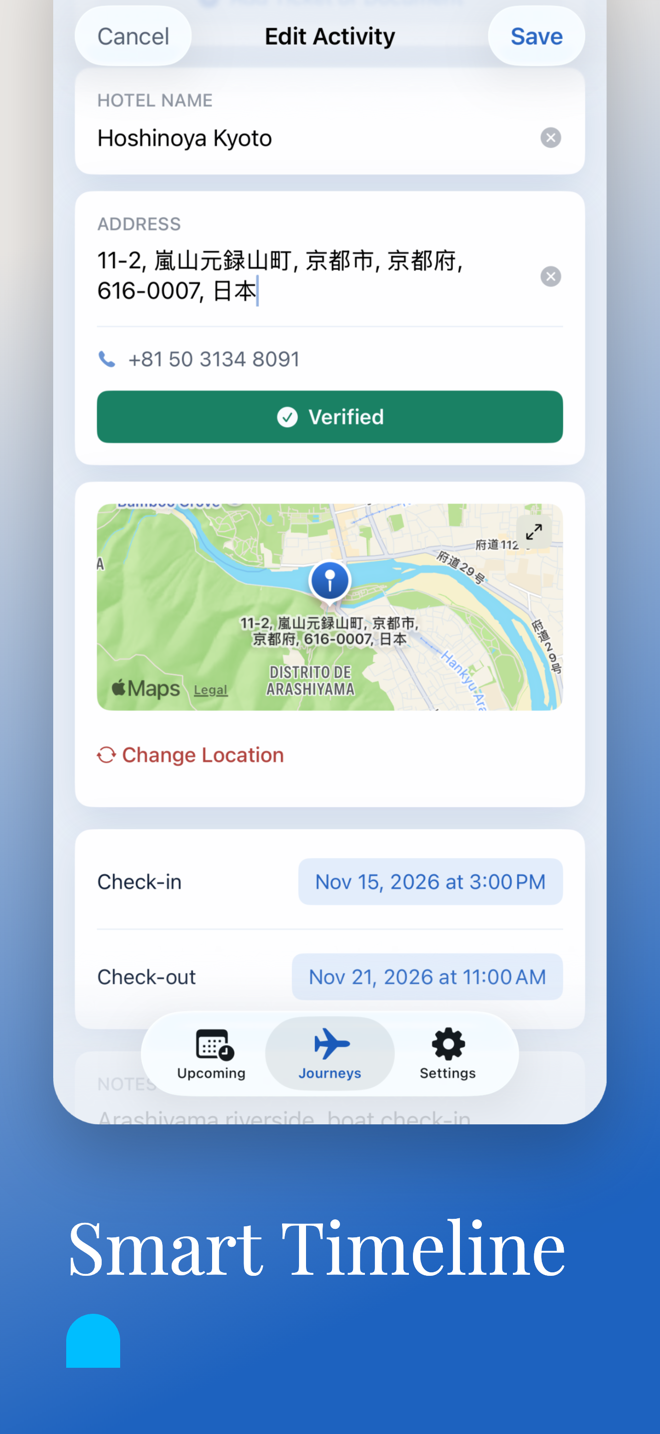
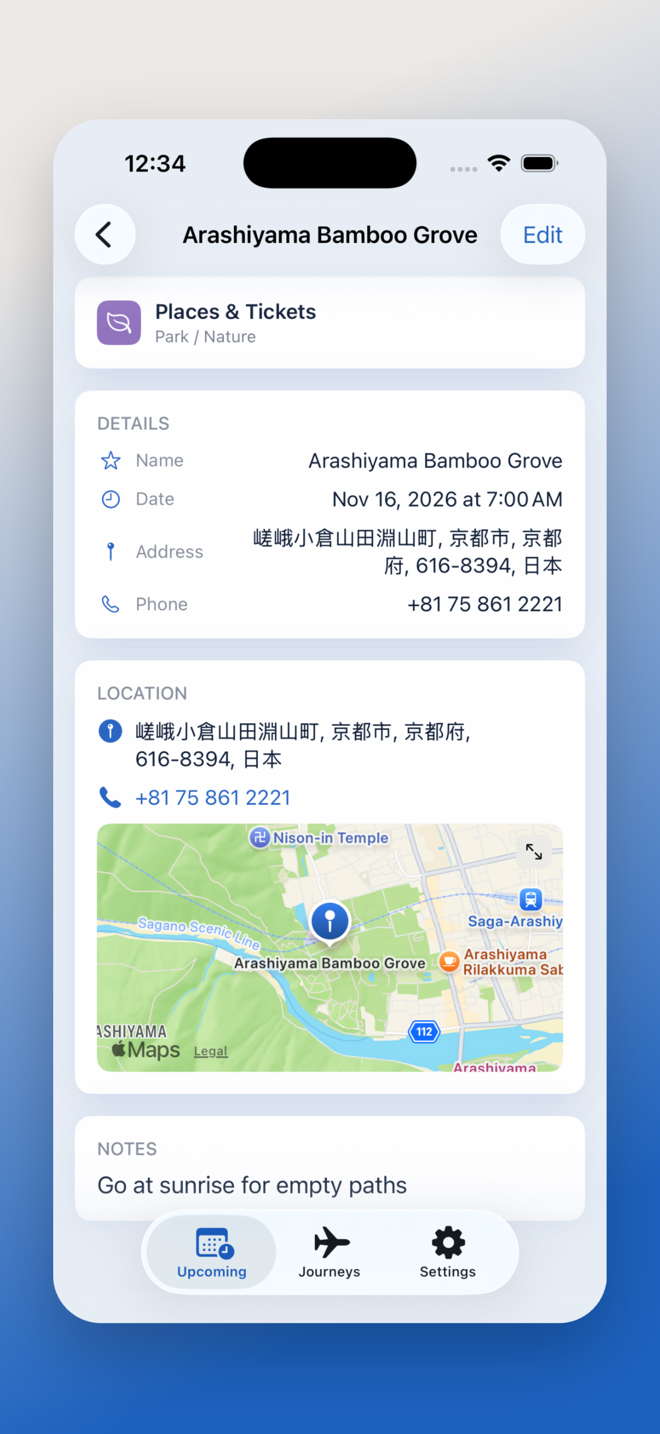
Flights, hotels, transport, restaurants, places, tickets, insurance, and notes stay organized day by day so nothing disappears into email or screenshots.
- Clear grouping by date and activity type
- Works for weekend escapes and multi-city journeys
- Designed to reduce context switching while traveling
Documents where you need them
Attach boarding passes, confirmations, receipts, and travel documents directly to the relevant activity so every detail is one tap away.
- Snap a photo or import an existing file
- OCR helps fill in the details automatically
- Useful at check-in desks, boarding gates, and hotel lobbies
Live context without the clutter
Weather forecasts and real-time flight status appear inside the itinerary instead of forcing people to bounce between apps.
- Flight states include On Time, Delayed, Landed, and In Air
- Times are shown in each airport's local timezone
- Forecasts help you pack and plan ahead
Private by default
No accounts, no analytics, no ads. Everything lives on your device and remains usable even when the signal is weak or nonexistent.
- Offline-ready when you are already on the move
- Simple ownership model for personal trip data
- Consistent trust posture across marketing, support, and policy pages
Release notes
What is new on the marketing story today.
The release module gives the page a living-product rhythm: useful for launch announcements, major feature drops, and subscription changes without redesigning the entire page.
Free to download, with flexible plans
Journeyfolio now starts free, while existing purchasers keep permanent Premium access with no extra action required.
Travel documents attached to activities
Boarding passes, booking confirmations, and receipts can live exactly where they belong, with OCR helping reduce manual entry.
Full iPad support
Adaptive layouts, Split View, and Slide Over make the planner more comfortable on larger screens and during multitasking.
Reliability and accessibility improvements
Core stability, usability, and polish all moved forward together instead of treating accessibility as an afterthought.
Feature deep dive
Plan any trip your way, with one consistent travel rhythm.
Day-by-day itineraries
Build a complete schedule with seven activity categories and keep every booking anchored to the right date and destination.
Live flight tracking
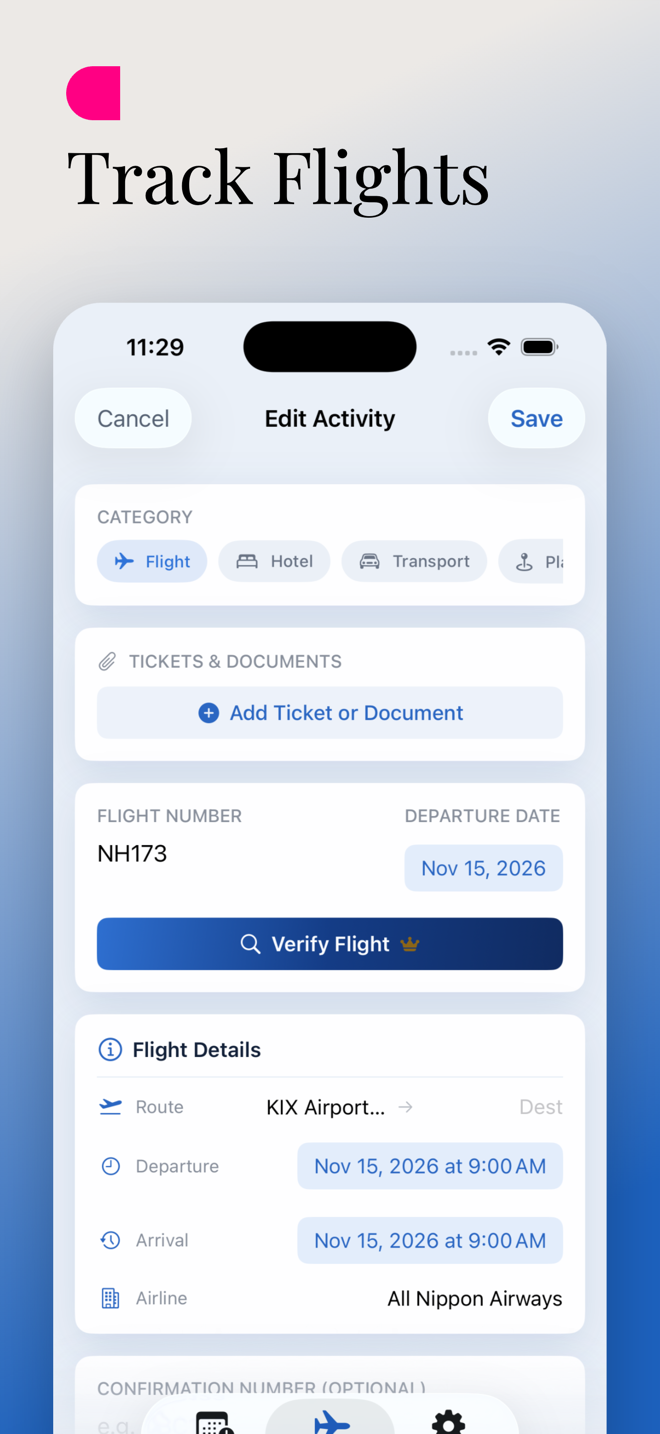
Add a flight number and keep its real-time status visible inside the trip so your itinerary remains the source of truth.
Reliable weather context
See current conditions and a five-day outlook for every destination so packing and daily planning happen with less guesswork.
Tickets and documents together
Upload boarding passes, confirmations, receipts, and travel documents directly into the flow instead of scattering them across apps.
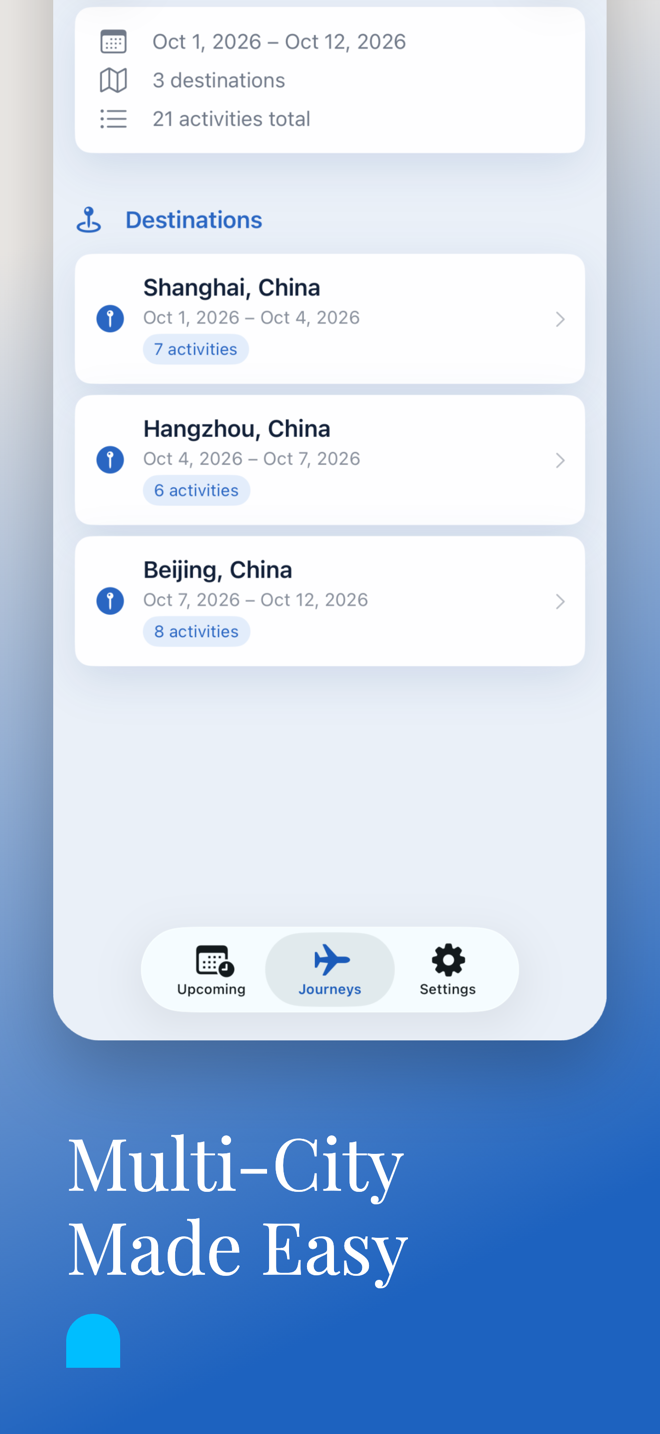
Multi-city trips made simple
Each stop gets its own dates, local context, and detailed itinerary while still living inside one unified journey.
Beautiful, clutter-free design
Trips are organized by year, activities are easy to scan, and the interface stays calm when the itinerary gets dense.
Onboarding flow
Five steps from first destination to travel-day confidence.
Create the trip
Add a name and one or more destination cities to establish the journey structure up front.
Build the itinerary
Log flights, hotels, restaurants, tickets, and activities day by day, with each stop arranged in clear sections.
Attach your documents
Snap or import boarding passes, receipts, and confirmations so critical trip admin stays attached to the exact event it supports.
Stay informed
Check weather, verify flights, and review local trip context such as public holidays without leaving the planner.
Travel with confidence
Open the itinerary anywhere, online or offline, and keep every important detail available when you actually need it.
Pricing and tiers
Free to start. Upgrade when the travel load grows.
Plan up to 10 trips at no cost.
Ideal for occasional travel, early trip planning, and anyone who wants a single offline-first home for their itinerary before committing to more.
- Create and organize trips on iPhone and iPad
- Keep documents, notes, and core itinerary details together
- Start without an account or setup friction
Unlimited trips, live flight tracking, and weather forecasts.
Premium is available as monthly, 6-month, or yearly auto-renewable subscriptions for travelers who want full ongoing context in one place.
- Unlimited trip capacity
- Real-time flight status inside the itinerary
- Destination weather forecasts built into the trip view
Travel lighter, even before you leave.
Download Journeyfolio, keep your trip in one composed place, and use the support and privacy pages as part of the same polished app journey.